
Animation
A Next.js project showcasing complex animations using React-Spring, TailwindCSS, and ShadcnUI, inspired by an Instagram Reel and Figma design.
Interactive Web Animations: A Next.js & React-Spring Showcase
Explore a practical implementation of sophisticated web animations using Next.js, React, TailwindCSS, ShadcnUI, and React-Spring. This project, inspired by a popular Instagram Reel and detailed in a Figma design, serves as a learning resource for developers looking to create engaging user experiences. It breaks down complex animation techniques into understandable code, addressing the common sentiment that 'animation is hard'.
Features:
- React-Spring Integration: Utilizes React-Spring for physics-based and declarative animations.
- Next.js Project Structure: Demonstrates animation within a modern Next.js application.
- TailwindCSS for Styling: Leverages TailwindCSS for rapid and responsive UI design accompanying animations.
- ShadcnUI Component Usage: Shows integration of ShadcnUI components within animated layouts.
- Inspired by Real-World Design: Animation concept based on an Instagram Reel and a provided Figma file from the original creator.
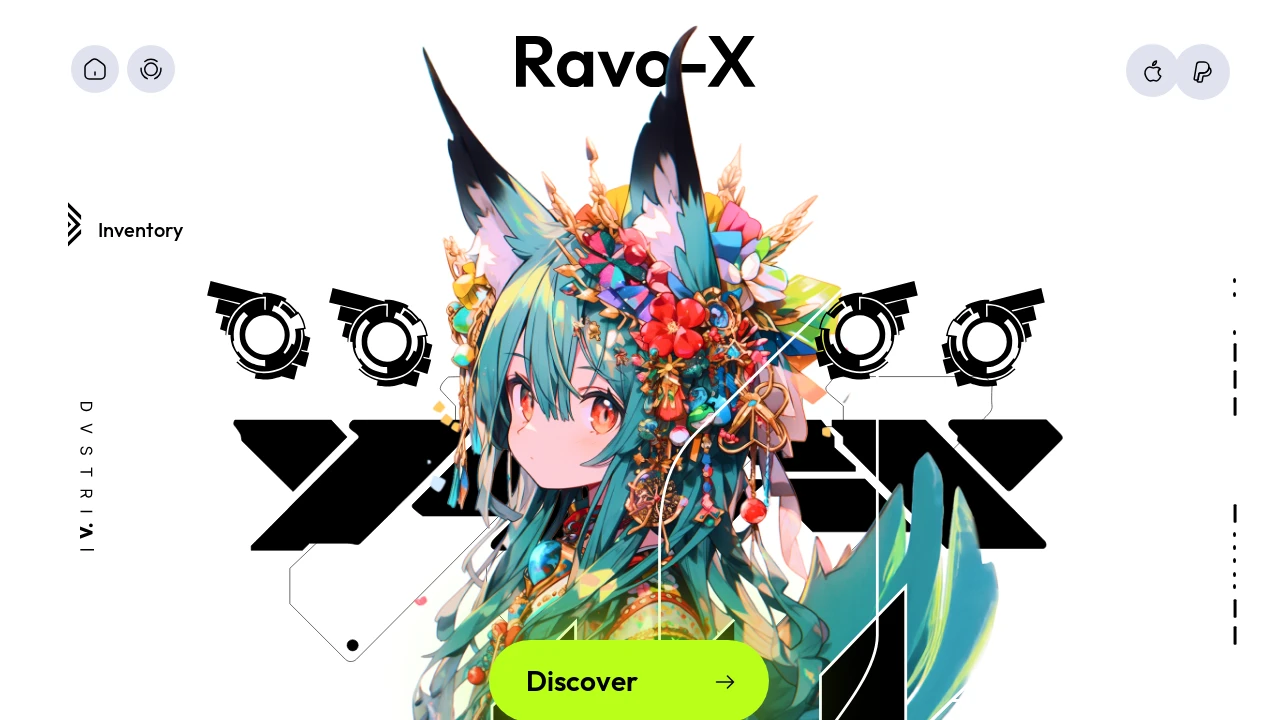
- UI Element Animation Examples: Features animations for elements like logos, decorative ellipses, inventory displays, navigation items (Home, Guide, Settings), and various icons as seen in the demo.
- Custom Font Optimization: Implements
next/font(Inter) for efficient Google Font loading. - Developer-Friendly Setup: Simple
pnpm iandpnpm devcommands for quick local development and testing. - Live Reload Development: The page auto-updates as
app/page.tsxis edited, facilitating rapid iteration. - Source Code for Learning: Provides accessible code for understanding animation implementation details and overcoming common animation challenges.
Summary:
This repository offers a hands-on example of building dynamic web animations with a modern JavaScript stack: Next.js, React, TailwindCSS, ShadcnUI, and React-Spring. It meticulously recreates a specific visual effect originally seen on Instagram, using a Figma file as a design reference. Developers can study the provided code to learn how these popular tools synergize, gaining valuable insights into creating fluid and interactive user interfaces for their own web applications.

Similar to Animation:
 SERP BLOCKS